Introduction
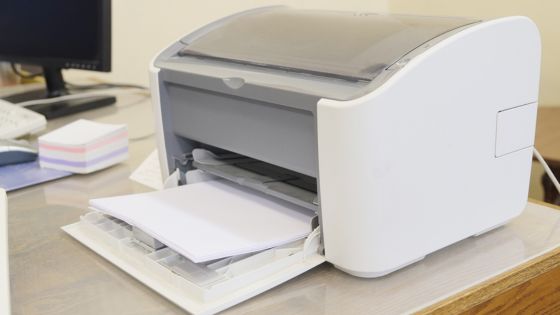
Printers are handy devices that make our lives easier by producing physical copies of important documents, photos, and more. However, like any technology, printers can sometimes act up and cause frustration. In this blog, we’ll discuss some of the most common printer issues people encounter and provide simple solutions to help you resolve them.
Paper Jams
Issue: One of the most frequent printer problems is paper getting stuck in the machine, causing it to jam. Solution:
- Turn off the printer.
- Carefully open it to access the paper path.
- Gently remove the jammed paper, following the printer’s manual or on-screen instructions.
- Close the printer and turn it back on.
Slow Printing
Issue: If your printer is taking forever to produce a single page, it can be frustrating. Solution:
- Check if your printer is set to high-quality printing. Adjust the settings to a lower quality for faster output.
- Ensure you’re using the correct drivers and update them if necessary.
- If printing wirelessly, improve your Wi-Fi signal or consider using a wired connection for faster printing.
Ink or Toner Issue
Issue: Printer showing low ink or toner warnings or producing faint prints. Solution:
- Replace the ink or toner cartridge with a new one.
- Shake the cartridge gently to redistribute the toner or ink evenly.
- Ensure you’re using the right type of cartridge for your printer.
Print Spooler Errors (Windows)
Issue: The print spooler service on Windows can sometimes stop working, preventing printing. Solution:
- Restart the Print Spooler service by opening the “Services” application and selecting “Restart” or “Start” under Print Spooler.
- Clear the print queue if there are pending print jobs.
Connectivity Problems
Issue: Your printer isn’t connecting to your computer or network. Solution:
- Check all cable connections or try reconnecting to your Wi-Fi network.
- Restart your router and printer.
- Ensure your printer’s drivers are up-to-date.
Poor Print Quality
Issue: Your prints may have streaks, smudges or be of low quality. Solution:
- Clean the printhead or run a printer cleaning cycle.
- Use high-quality paper and ensure it’s loaded correctly.
- Replace old or dried-out ink or toner cartridges.
Conclusion
Dealing with printer issues can be frustrating, but many problems have straightforward solutions. By following these simple troubleshooting steps, you can often get your printer back in working order without the need for professional assistance. Remember to consult your printer’s manual or manufacturer’s website for specific guidance on resolving issues, and don’t hesitate to seek help if the problem persists. With a little patience and some basic maintenance, you can enjoy smooth and trouble-free printing at home or in the office.
Also Read: Plastic Surgery Types and Their Transformative Results
 Article Headlines